Up to 12× faster renders
Storycut now encodes on your graphics card (NVIDIA, AMD or Intel), draws on every core and grabs each frame many times faster. While it renders you see what is doing the work.
Script, voice and your own photos in. A finished, edited Instagram reel out: designs that move like the best creators' reels, captions that land on every word, all on your PC.
Free · Windows 10 and 11 · your files never leave your PC
How a reel is made
Paste the words, or just the topic. Hinglish, Hindi or English.
One frame per beat on a real timeline. You check each one before anything renders.
The frames are drawn at 1080 × 1920, captions on every word. Nothing is uploaded.
One MP4 for Reels, Shorts and TikTok, with the caption, cover and subtitles.
New in StorycutLive demos
Renders on your graphics card, exports in every shape and format, and a copy in another language with a new voice. Plus your own intro and outro, pictures you move by hand, and a way to tell us when something goes wrong.
Storycut now encodes on your graphics card (NVIDIA, AMD or Intel), draws on every core and grabs each frame many times faster. While it renders you see what is doing the work.
4K, or H.265 at about half the size. A size limit for WhatsApp, only a part, sound only, a GIF, and every shape in one go.
A copy of the video in Hindi, Tamil, Telugu, Bengali, English, Spanish and ten more: AI translates what is said, a new voice speaks it and the captions follow. You check it before it renders.
Place your photo or clip at one moment, then at another: it glides between them, smooth or even. Size, turn and fade too.
Add your own intro and outro (a clip or your logo) once in your brand kit. Every export starts and ends with it.
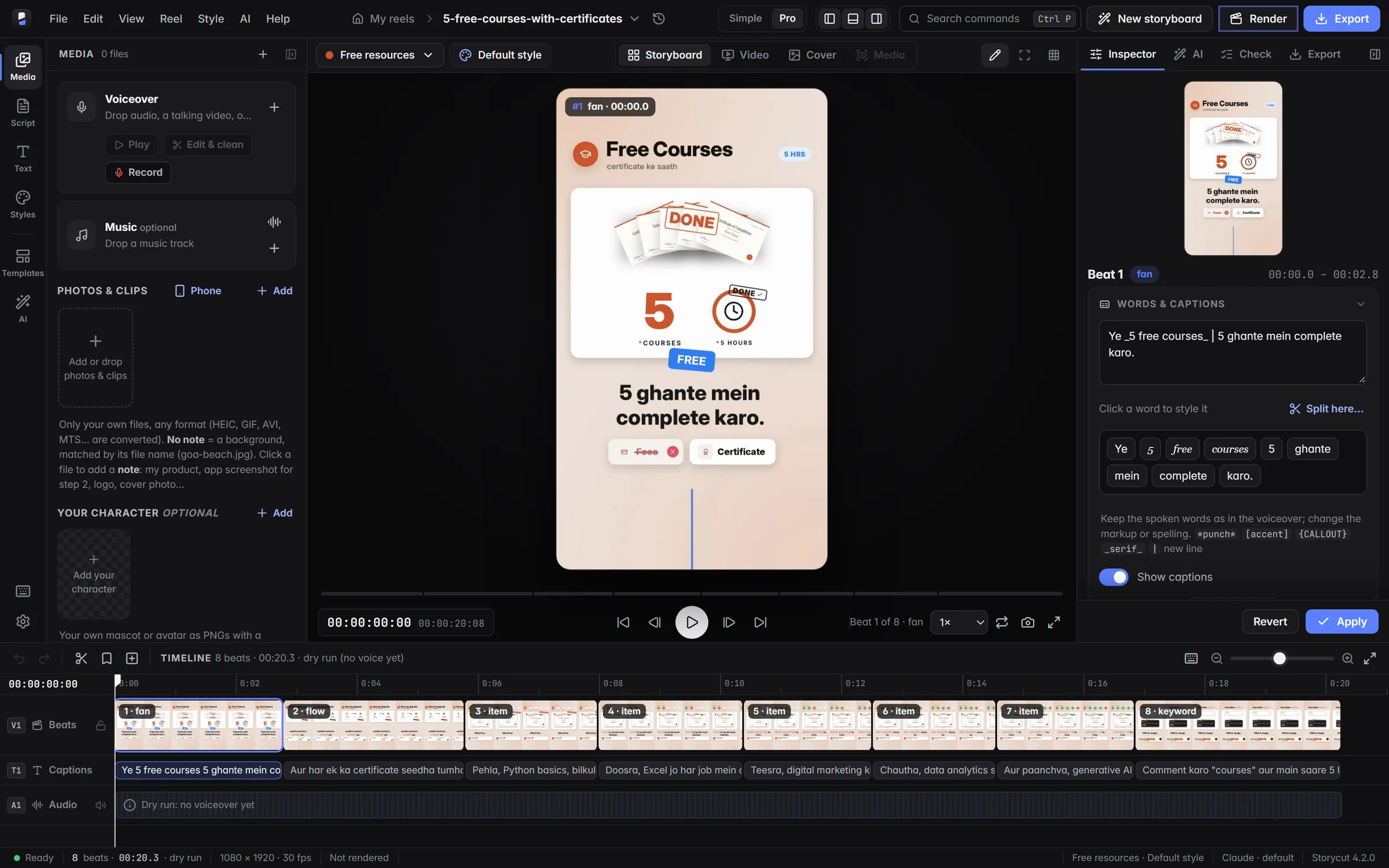
Pick what you are making, its topic, then a name. The New video window shows 16 topics at once, each with its own design and a ready-made preview.
Something wrong? Help → Report a problem sends what happened with the app's details, your folder paths and name hidden. You get a reference and a reply by email.
What is Storycut
Storycut is a desktop video editor for Windows that turns a script into a finished vertical video for Instagram Reels, YouTube Shorts and TikTok. You bring your words, your voice and your own photos or clips. Claude plans the reel beat by beat: the hook, the cards, the captions and the motion.
Then Storycut edits it the way top creators do, with motion graphics, word-by-word captions in Hinglish, Hindi or English and one of 57 editing designs, and renders it on your own computer: 1080 × 1920 for Reels, Shorts and TikTok, or 16:9, 1:1 and 4:5, each re-laid out for its shape.
Video typesNew in 4.1
Each type has its own studio inside Storycut: its own templates, timing rules, sizes and designs. Pick one and the frame changes shape; every preview here was made in Storycut. Animated story, Podcast and Product ad also offer 3D films, an evidence board, Spotlight and motion graphics.
Voiceover and motion graphics for Reels, Shorts and TikTok.
You bring: A script or just a topic, and your voice · Sizes: 9:16 · 4:5 · 1:1 · 16:9
Script in, reel out
This reel was made in Storycut from the script on the left. Each line lights up as its beat plays; click a line to jump to it.
Inside the app
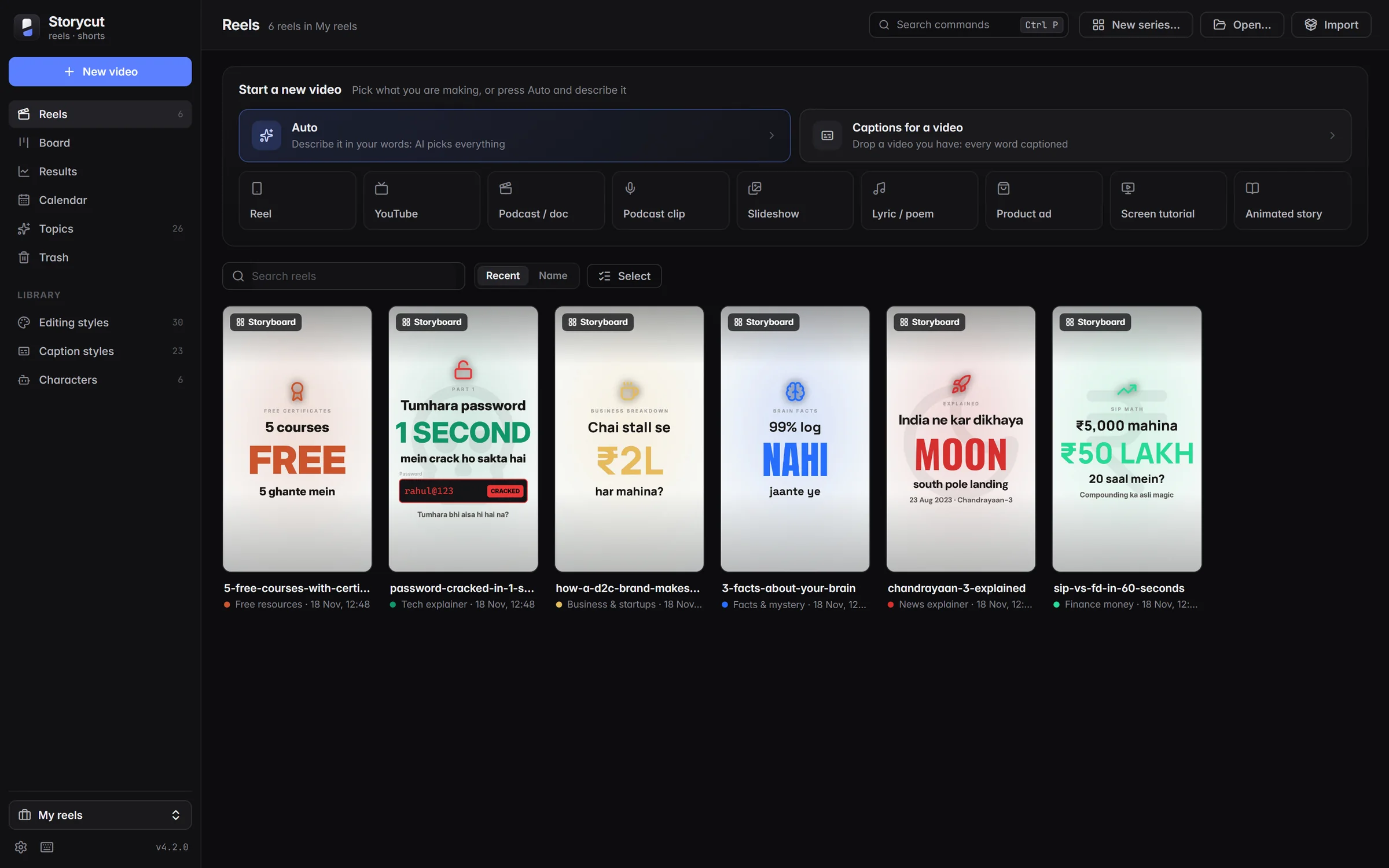
From a topic to a finished 1080 × 1920 reel in five steps. The storyboard comes first, so you see every frame before a single second renders.
26 topics in 7 categories, each with its own hook, cards and ending. Every topic shows its own design and a ready-made preview.
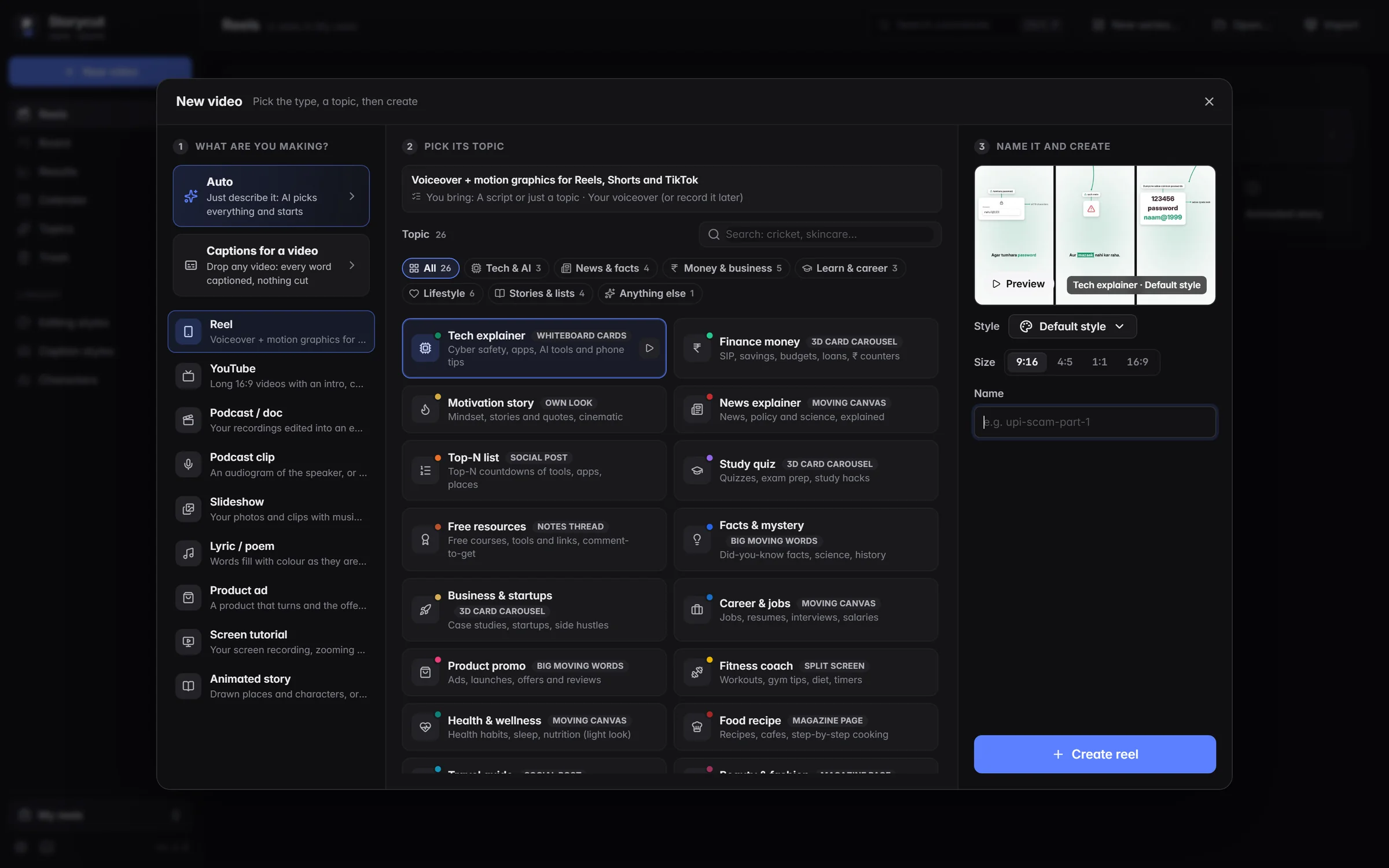
Write it yourself or let Claude write it. Hook lab suggests ten openers, ranked. Add your voiceover and your own photos and clips in any format.
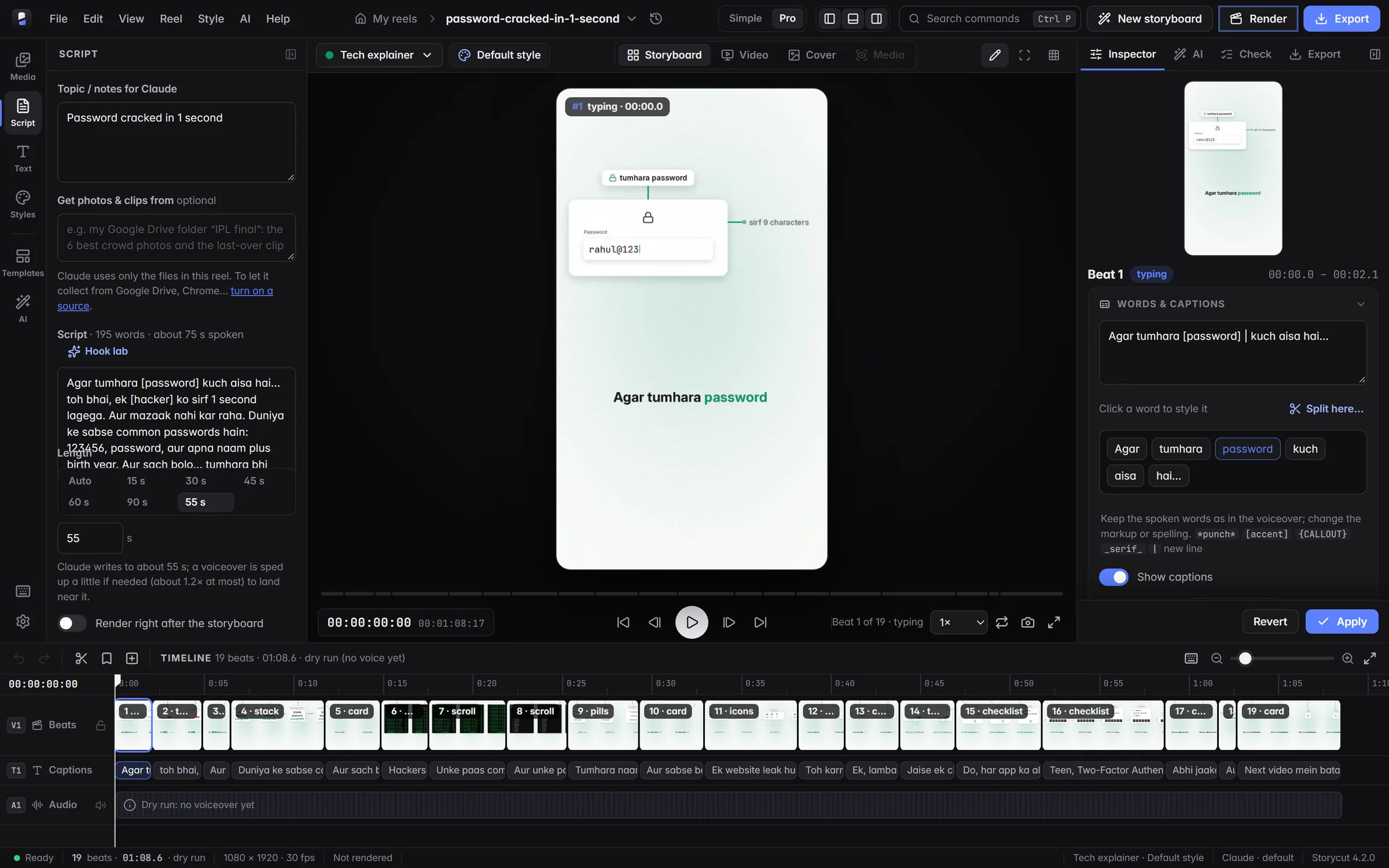
Claude plans every beat, caption and motion graphic. You see one frame per beat on a real timeline, and change a word, a card or a cut by hand or with AI.
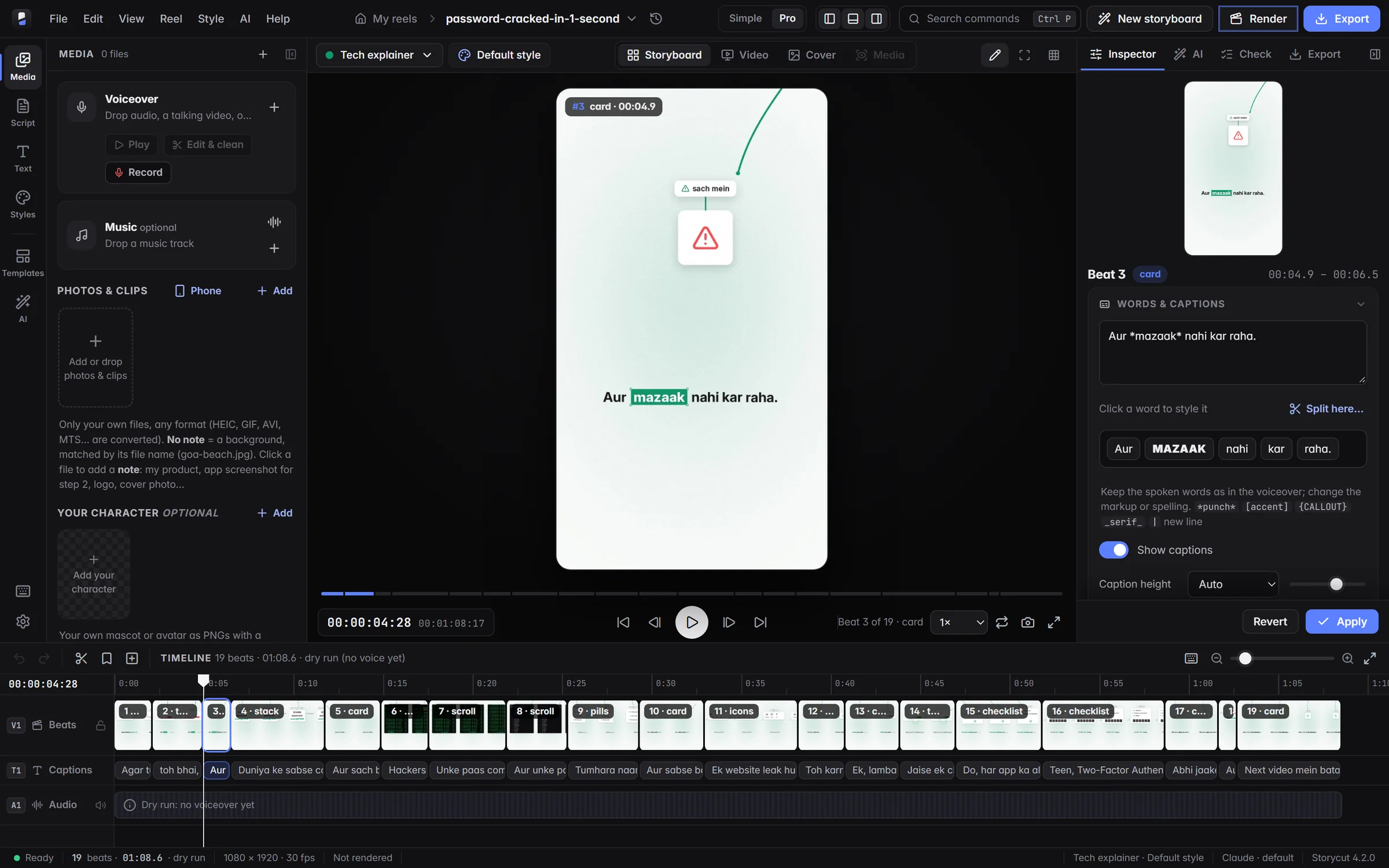
Dozens of editing designs, look-alikes grouped as variants, and 23 caption styles, each with a ready-made preview. Your words and photos stay; only how the reel moves changes.
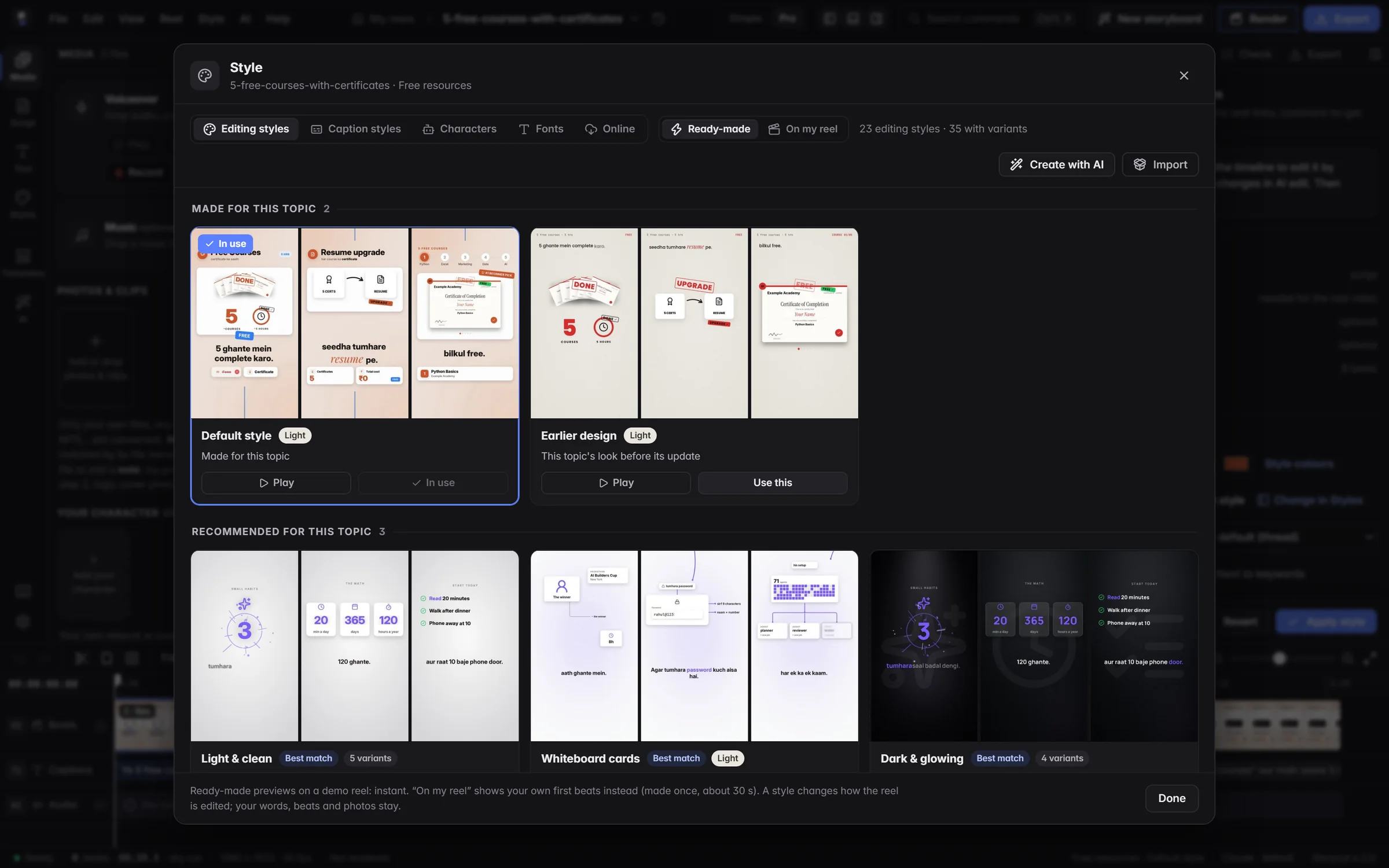
A finished MP4 in every size you pick (9:16, 4:5, 1:1 or 16:9), rendered on your own computer's graphics card while you watch the frame being drawn. 4K, H.265, a size limit, MP3 or GIF when you need them, plus the post caption, carousel slides, subtitles and covers.
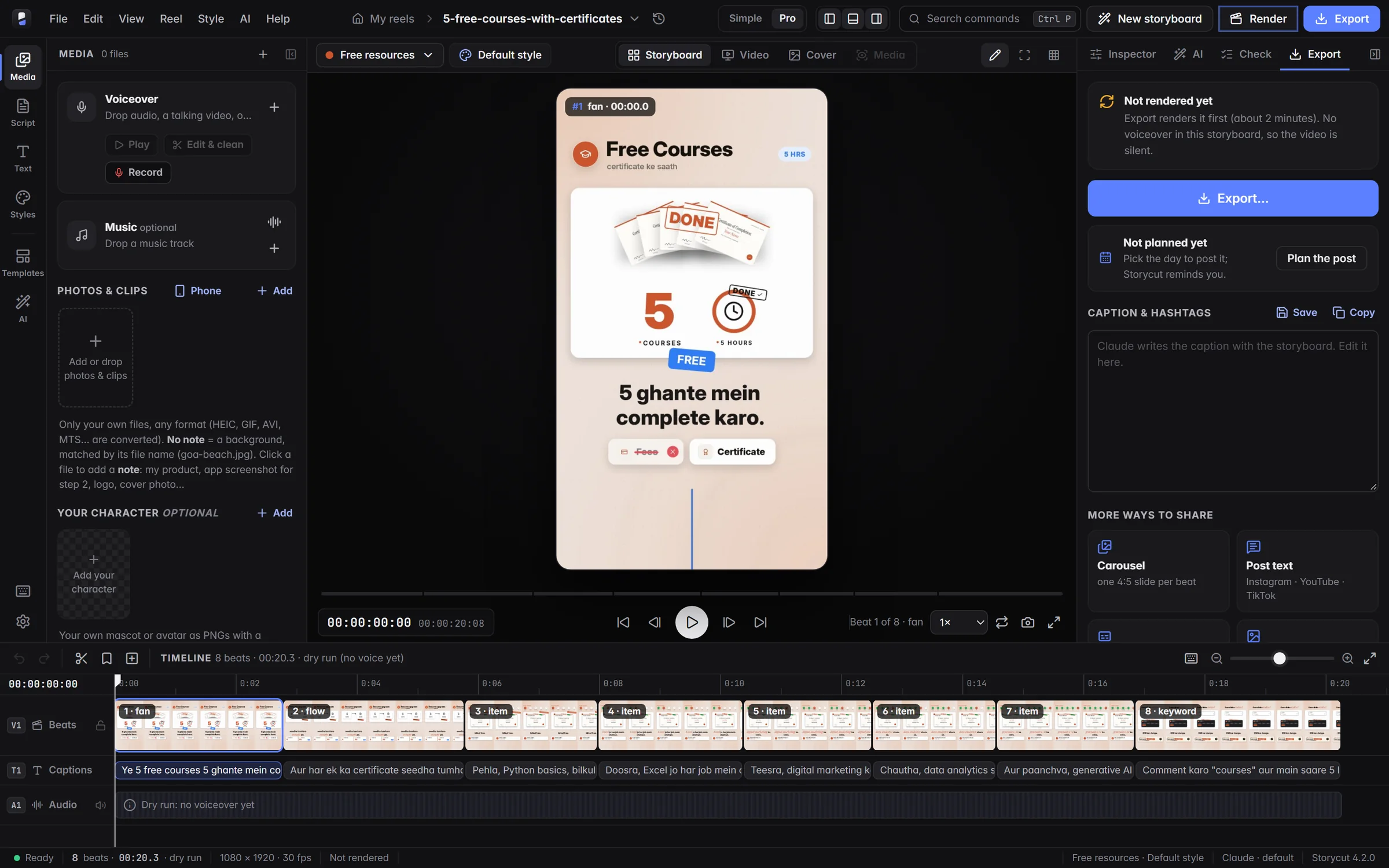
New in StorycutLive demos
Every card below is the feature at work: captions in two languages, photos from your phone, a list that becomes ten videos, the posting calendar and more.
Hinglish on top, English under it, or Hindi in Devanagari: every caption gets its translation, timed with the voice. A second .srt too.
Scan a code and send photos, clips or the voiceover straight into the video on your PC, over your own Wi-Fi.
Paste a list of topics. Each one becomes its own video in the same style, and the storyboards are made one after another.
Plan the day each video goes out. A month at a glance, and a reminder on the day.
Eight timely ideas with a hook and a why-now, straight onto your board. Start any of them as a video.
The frame being drawn, live, with the time left. A quick draft when you only want to check the motion.
When Claude needs to run something new, a card shows what and why. Allow it once, always, or say no.
Everything in the box
Beats, captions and audio on tracks, with frame-accurate timecode. Split, merge, move and retime beats; click any word to make it pop; undo anything.
Timed to your voice, word by word, with key words boxed, highlighted or punched in. 23 caption styles.
Describe a look and Claude designs the whole editing style: layout, captions, fonts, colours, cuts and camera. It is checked, saved and previewed.
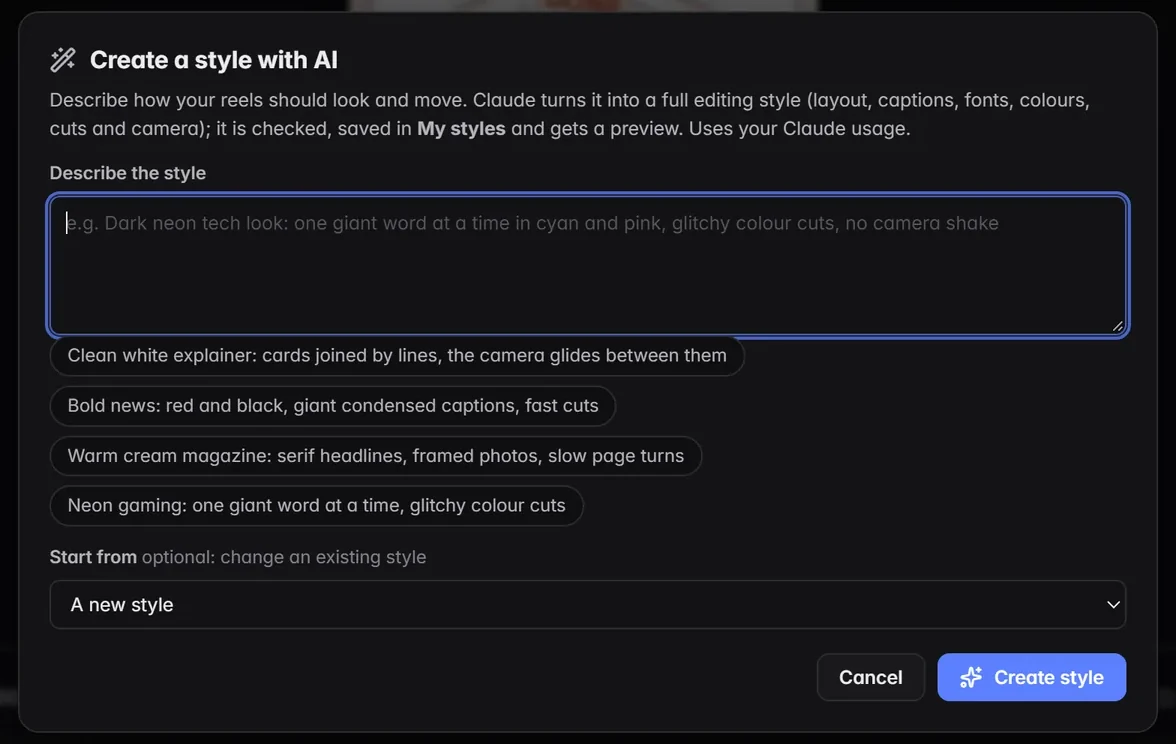
Ask for “a punchier hook” or “10 seconds shorter” and Claude revises the storyboard. Hook lab, covers, post text and English subtitles are one click away.
Only your own photos, clips and voice: no stock sites, no image APIs. Everything renders on your PC.
Roman Hinglish, Devanagari Hindi and English. HEIC, AVIF, MTS, 3GP and AMR convert by themselves.
Six original mascots, or your own PNGs, talk while the voice speaks, blink and react. Hover to see them.
Who it is for
Tech tips, facts, money and news reels from a script and your voice. No camera and no editing skills needed.
Turn lessons into reels: quizzes with a countdown, spoken-English fixes, career advice and health habits.
Product promos, recipes, property tours and brand stories, made from your own photos and clips.
Trips, workouts, styling and day-in-my-life vlogs with captions that land on every word.
The designs
The topic decides what the reel says; the design decides how it moves. Pick one and watch the preview.
Topics
A tech explainer, a recipe and a festival wish need different hooks, cards and endings. Every topic knows its own.
How it compares
| Feature | Storycut | Editing by hand | Online AI video makers |
|---|---|---|---|
| Plans the whole reel for you (beats, captions, motion) | Partly | ||
| You see every frame before it renders | Partly | ||
| Word-by-word captions in Hinglish and Hindi | By hand | Varies | |
| Uses only your own photos, clips and voice | Often stock clips | ||
| Your files stay on your computer | Uploaded | ||
| Time for a 60-second reel | Minutes | Hours | Minutes |
| Price | Free | Software or your time | Usually a subscription |
A general comparison of ways to make reels, not of any one product.
Questions
Storycut is a desktop video editor for Windows that makes videos from a script: Instagram Reels, YouTube Shorts and TikToks, and also YouTube videos, podcast clips and episodes, slideshows, lyric videos, ads, tutorials and animated stories. You give it your words, your voice and your own photos or clips; Claude plans the storyboard beat by beat; Storycut edits it with motion graphics, word-by-word captions and a design you choose, and renders the MP4 on your PC.
No. Paste a script (or just a topic), add your voice and photos, and pick a design. Claude plans every beat and you see one frame per beat before anything renders. You can still change any caption, cut or card by hand, like in a video editor.
A Windows 10 or 11 PC. The installer brings everything Storycut needs (its own Python and the video engines), needs no admin rights and puts Storycut in your Start menu. For storyboards you need Claude Code signed in to your Claude account; the setup check installs FFmpeg (and Node.js for 3D films and motion graphics) for you.
Yes: the app, every video type, built-in topic and design, captions, characters, fonts and packs are free. Pro adds new Signature and topic packs every month and monthly AI credits.
Yes: storyboards and AI edits run through Claude Code signed in to your own Claude account.
Claude writes the storyboard in a few minutes, and you review it frame by frame. Rendering is quick: on a 6-core PC with a mid-range graphics card a 68-second reel took 45 seconds and a 15-second motion-graphics film 44 seconds. You watch the frame being drawn with the time left, and a quick draft checks the motion first.
Yes. Renders and exports are encoded on your NVIDIA, AMD or Intel graphics card when it has a video encoder, and Storycut shows which one is working. If the card cannot, the processor takes over by itself. Settings → Rendering and export switches to the processor for the finest detail.
Yes. Dub makes a copy of the video in Hindi, Hinglish, English, Marathi, Tamil, Telugu, Bengali, Gujarati, Punjabi, Spanish, Portuguese, French, German, Italian, Indonesian or Turkish: AI translates what is said, a new voice speaks it and the captions follow the new voice. The original stays as it was, and you check the new storyboard before it renders.
No. Storycut renders on your PC and uses only your own files: no stock sites and no image APIs. Storyboards run through Claude (your own Claude Code account), which reads the video's files. Photos you send from your phone go straight to your PC over your own Wi-Fi.
Hinglish (Roman script), Hindi (Devanagari too) and English, with captions timed to every spoken word. Captions can show two languages at once: Hinglish with English under it, or Hindi in Devanagari, with a second .srt. It takes any photo, video or audio format.
Yes. A reel is a 1080×1920 MP4, the size Instagram Reels, YouTube Shorts and TikTok all use. Storycut also makes 16:9 YouTube videos with chapters and 1:1 and 4:5 posts (each re-laid out, not cropped), exports all of them in one go, in 4K or H.265 too, under a size limit for WhatsApp, or as an MP3, WAV or GIF, and writes the post caption, carousel slides and subtitles.
Yes. Make more like this turns a list of topics into one video each, in the same type and style; the storyboards are made one after another and nothing renders until you say so. Trend ideas suggests timely topics for your niche.
Yes. Describe a look in a few words and Claude designs a whole new style; name a topic and it plans the formula and an example reel. Share any style or topic as one .storycut file, and add your own fonts.
Editing and rendering run on your PC. Storyboards and AI edits need the internet, because Claude runs online.
Yes: Storycut opens after you sign in with your free Storycut account. The app shows a code, you approve it in your browser and that PC is signed in (the app never sees your password). Your account also installs new styles, topics and fonts from this site in one click and tells you when an update is out. Storycut keeps working offline for 14 days at a time, and you can sign a PC out any time from your account.
No. You export the MP4 (and a cover) and post it yourself; the posting calendar reminds you on the day. Storycut never logs in to your Instagram account.
Download Storycut, paste a script, and watch the storyboard appear on your desktop.